

Tracking the inputs, outputs, metadata as well as data flowing through your app is critical to understanding the performance of your system. However versioning your app over time is also critical to understand how modifications to your code or application parameters change your outputs. Weave’sDocumentation Index
Fetch the complete documentation index at: https://wb-21fd5541-update-training-api-25.mintlify.app/llms.txt
Use this file to discover all available pages before exploring further.
Model class is how these changes can be tracked in Weave.
In this tutorial you’ll learn:
- How to use Weave
Modelto track and version your application and its parameters. - How to export, modify and re-use a Weave
Modelalready logged.
Using weave.Model
Using Weave Models means that parameters such as model vendor ids, prompts, temperature, and more are stored and versioned when they change.
To create a Model in Weave, you need the following:
- a class that inherits from
weave.Model - type definitions on all class fields
- a typed
invokefunction with the@weave.op()decorator
- Python
- TypeScript
invoke:
- Python
- TypeScript
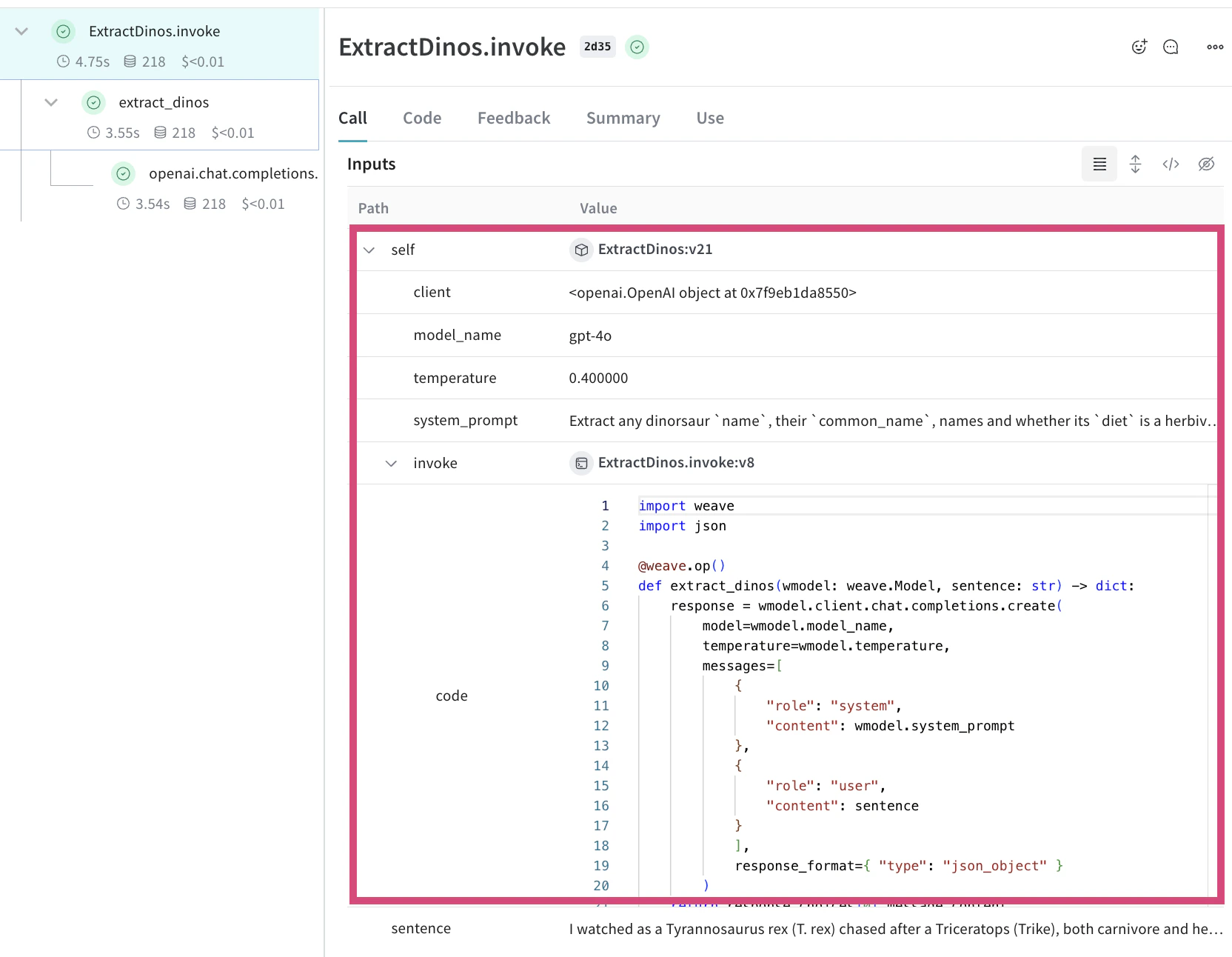
.invoke you can see the trace in Weave now tracks the model parameters as well as the code for the model functions that have been decorated with weave.op(). You can see the model is also versioned, “v21” in this case, and if you click on the model you can see all of the calls that have used that version of the model
weave.Model:
- You can use
predictinstead ofinvokefor the name of the function in your WeaveModelif you prefer. - If you want other class methods to be tracked by weave they need to be wrapped in
weave.op() - Parameters starting with an underscore are ignored by weave and won’t be logged
Exporting and re-using a logged weave.Model
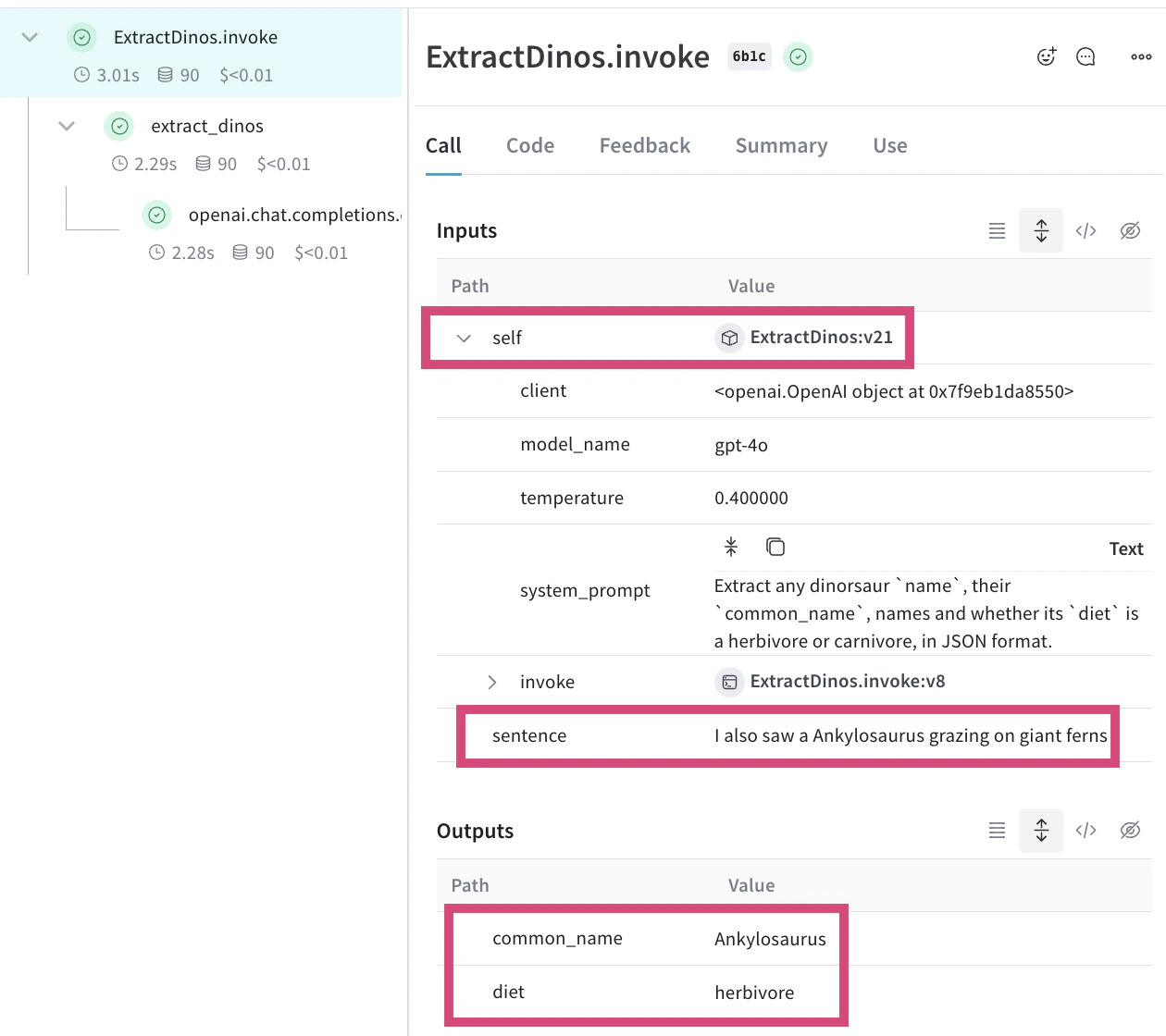
Because Weave stores and versions Models that have been invoked, it is possible to export and re-use these models.
Get the Model ref
In the Weave UI you can get the Model ref for a particular version
Using the Model
Once you have the URI of the Model object, you can export and re-use it. Note that the exported model is already initialised and ready to use:
- Python
- TypeScript
What’s next?
- Follow the Build an Evaluation pipeline tutorial to start iteratively improving your applications.